Use your phone as a webcam on Windows.
Connect your iPhone or Android over Wi-Fi. Choose Camji in your call or recording app.

buy once · Windows


Choose Camji in your camera menu
Windows lists Camji next to your built-in webcam, so any app that can use one can use the other. You keep whatever microphone you use now.
- Zoom
- Google Meet
- OBS Studio
- Discord
what you get
A phone mount is included with the $50 software + mount bundle.
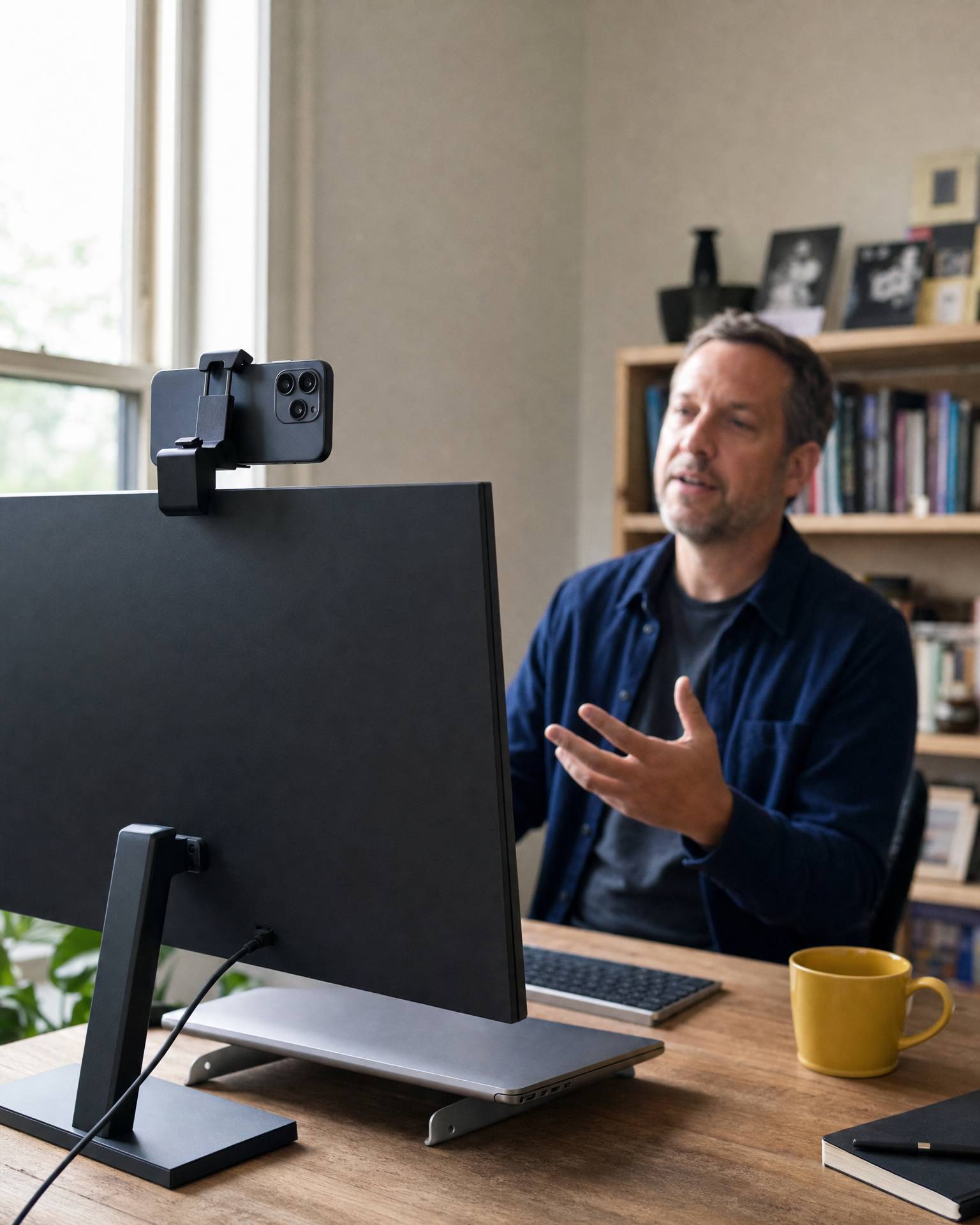
Use your phone’s camera
Use the front or rear camera on your phone for calls and recordings on your PC.
1080p · 30 or 60 fps · Front or rear camera
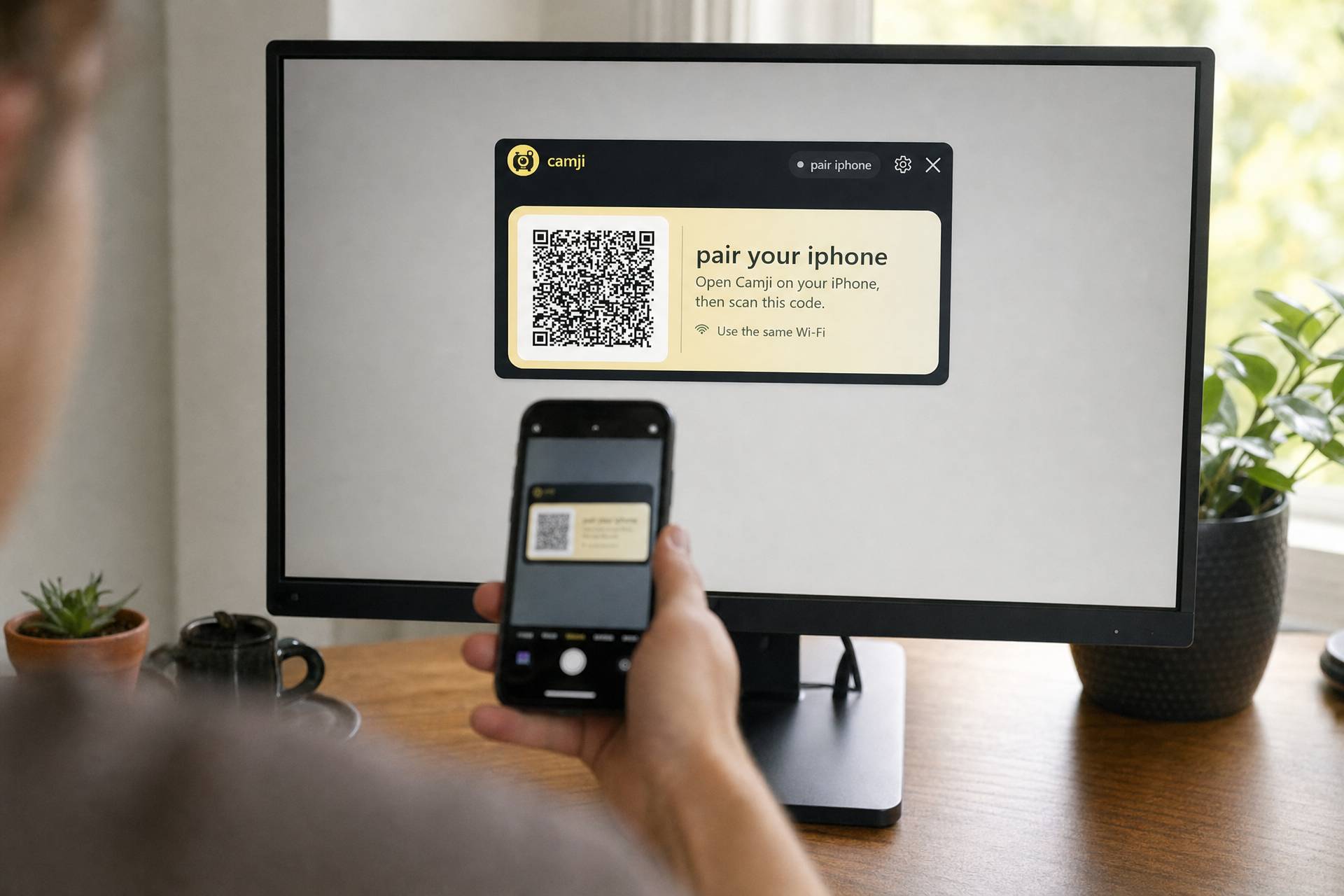
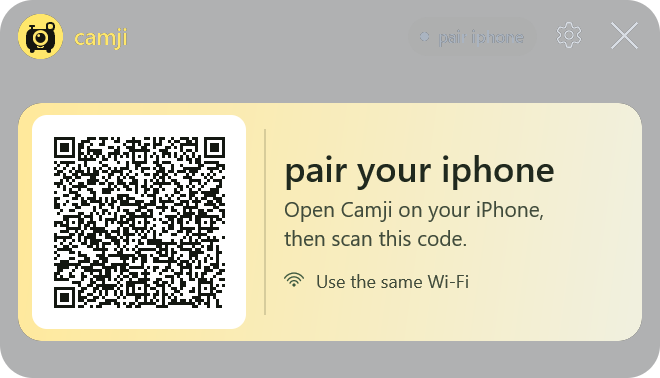
Pair with a QR code
Scan the code on your PC with Camji on your phone. It reconnects automatically next time.
Same Wi-Fi · No account · No cable
Camji for iPhone & Android
Use the phone app with Camji for Windows. Connect both devices to the same Wi-Fi, then scan to pair.
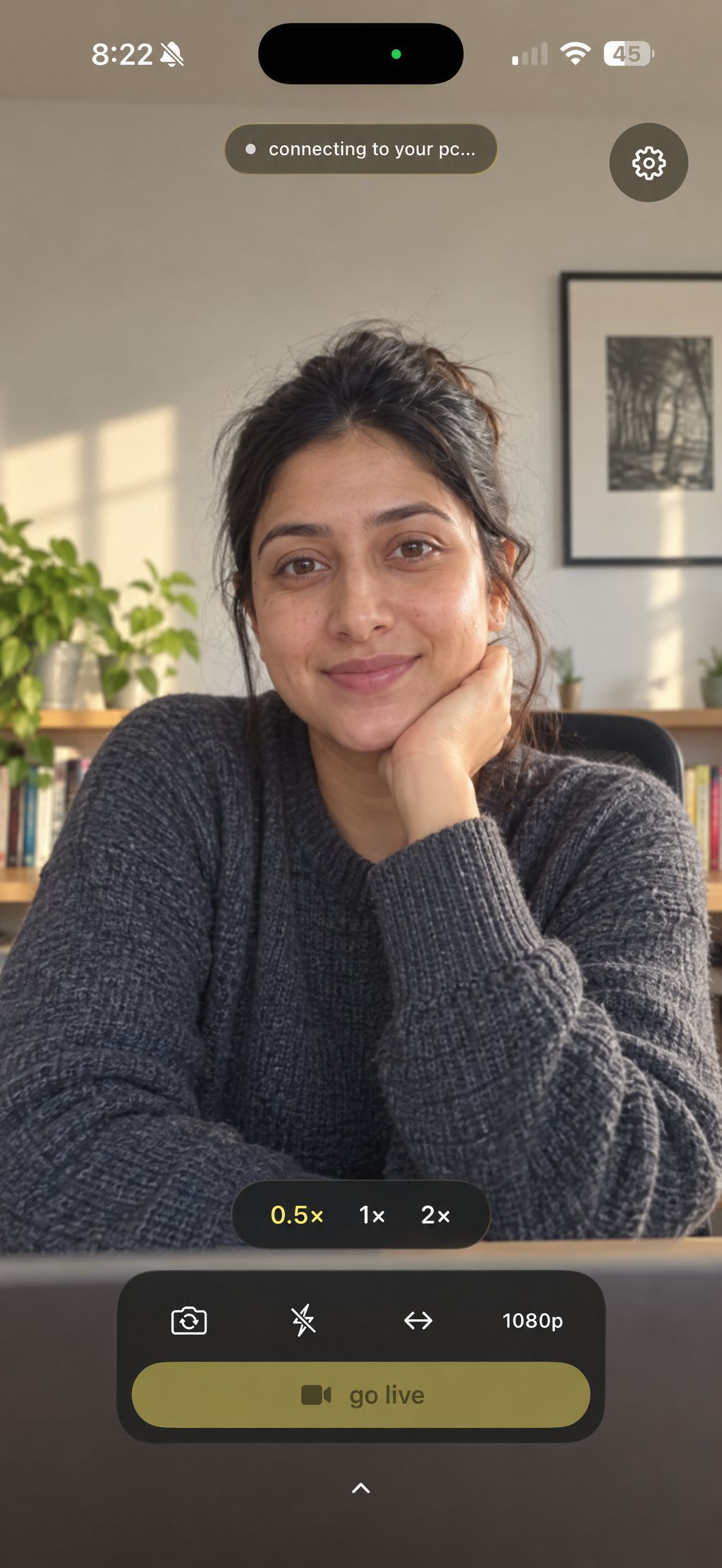
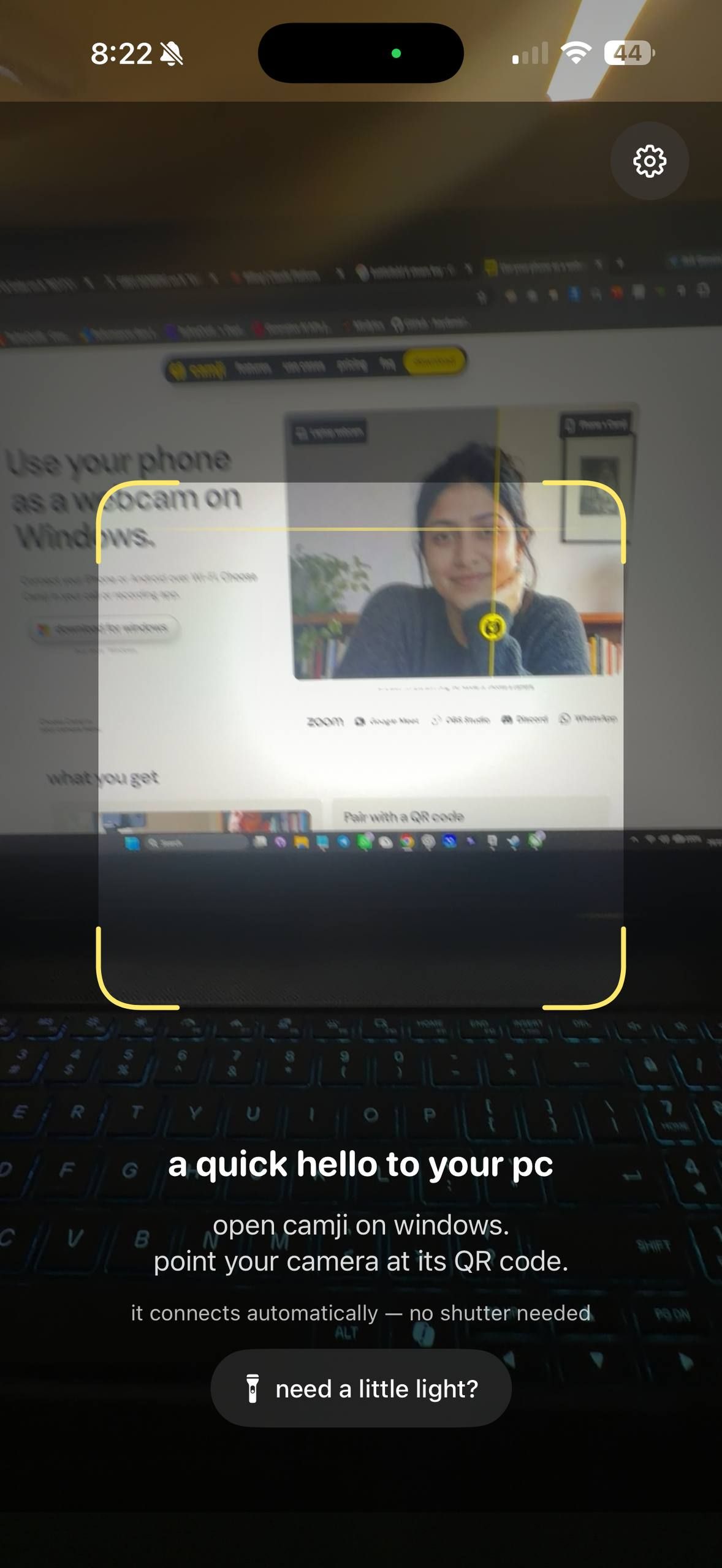
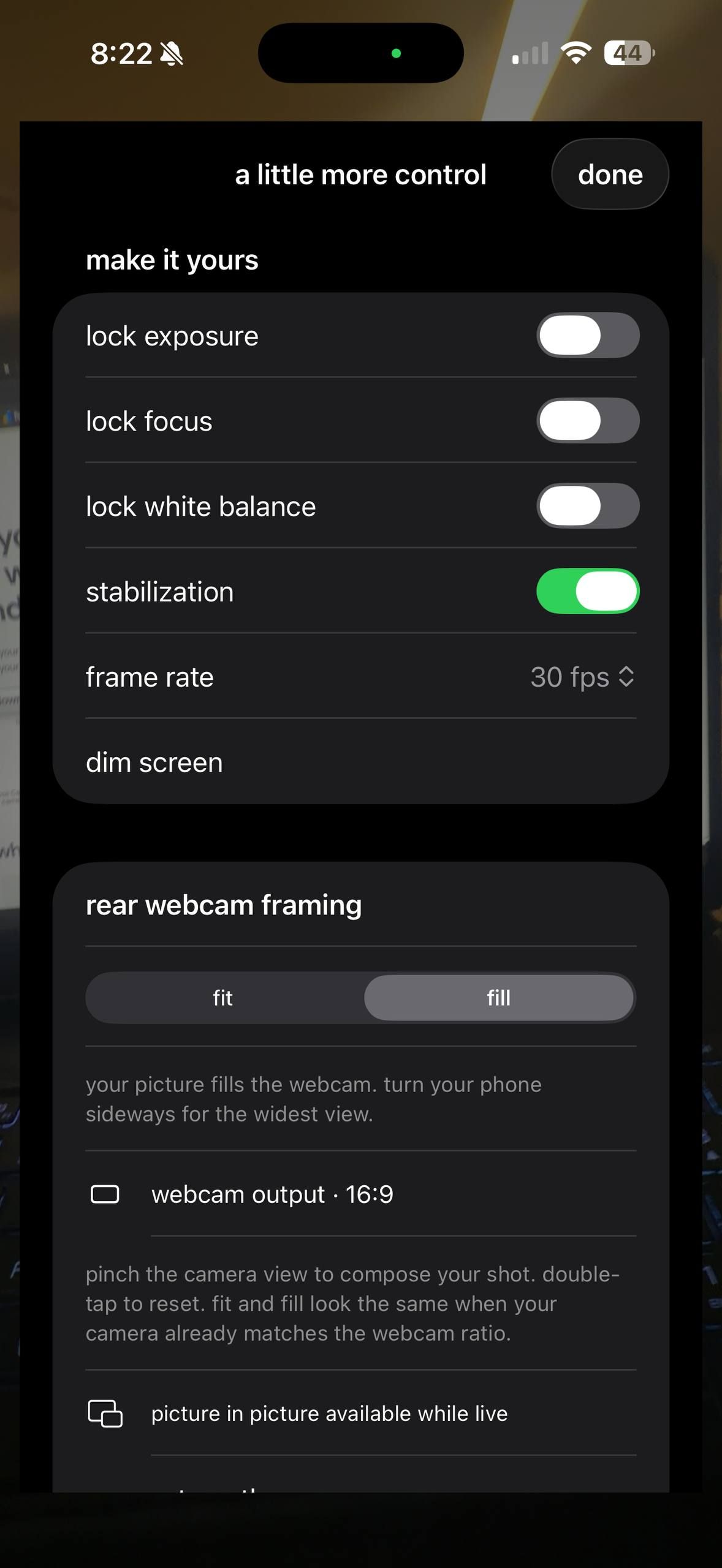
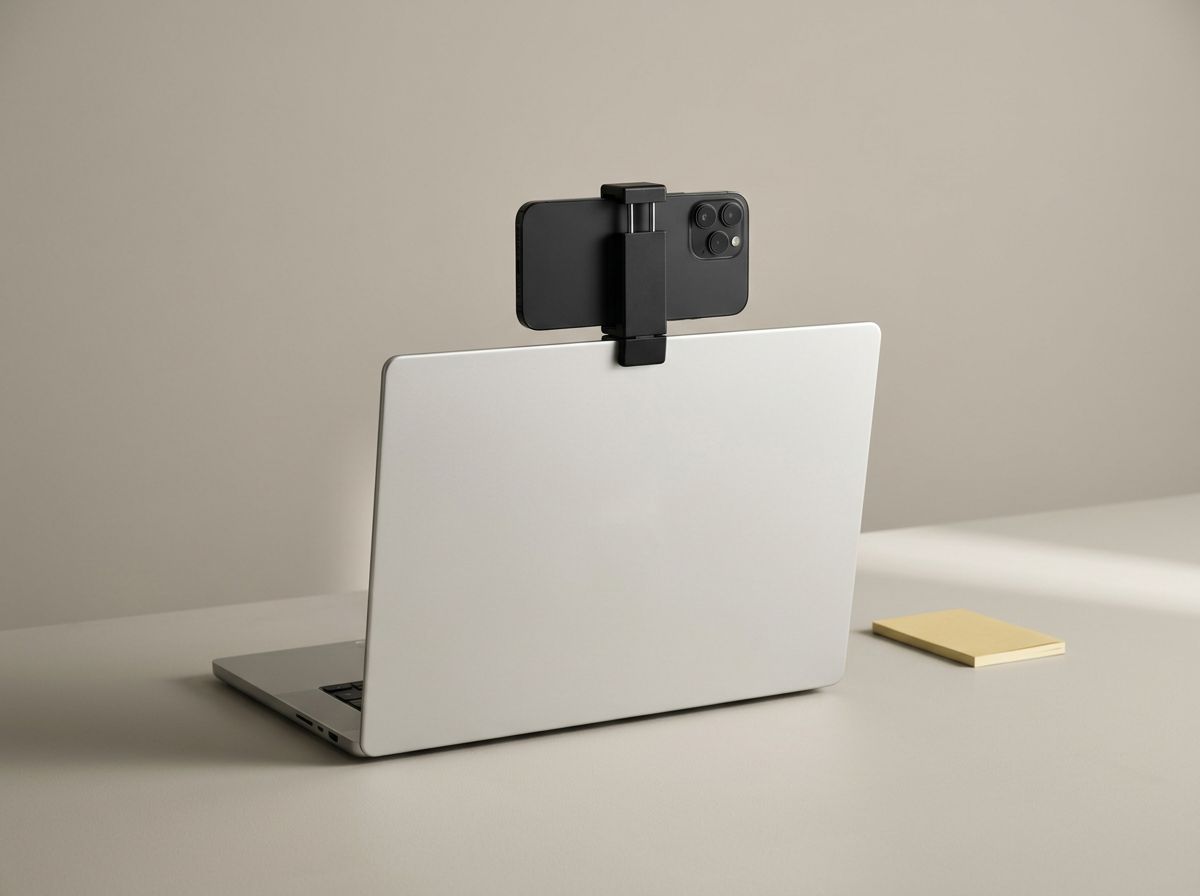
Included in the $50 bundle. The Windows app on its own is $25.
Choose your planCheck your camera without switching apps
Hover the Camji pill to see your camera. Move away to return to your work.
- Looking for your phone.
- You're on camera.
- Callers see a pause card.
- Saving to your Videos folder.
Scan the code. You’re on camera.
Open Camji.
On your PC and phone, connected to the same Wi-Fi.
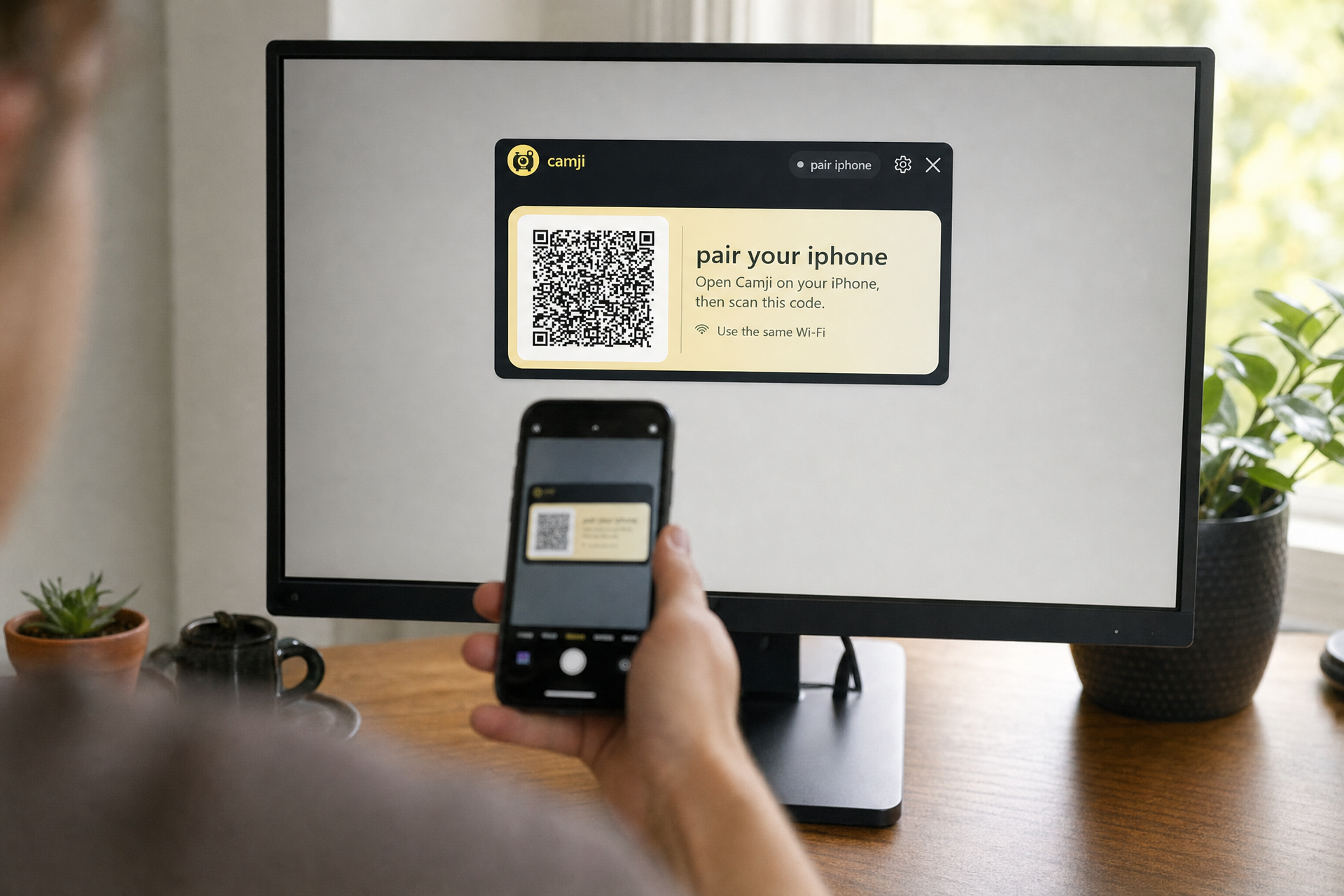
Pair your phone.
Scan the code on your PC with the Camji phone app.

Choose Camji in your call.
Find it in the camera menu, alongside your built-in webcam.
Adjust your camera
Put your camera over your screen for presentations and recordings. Try the controls below.



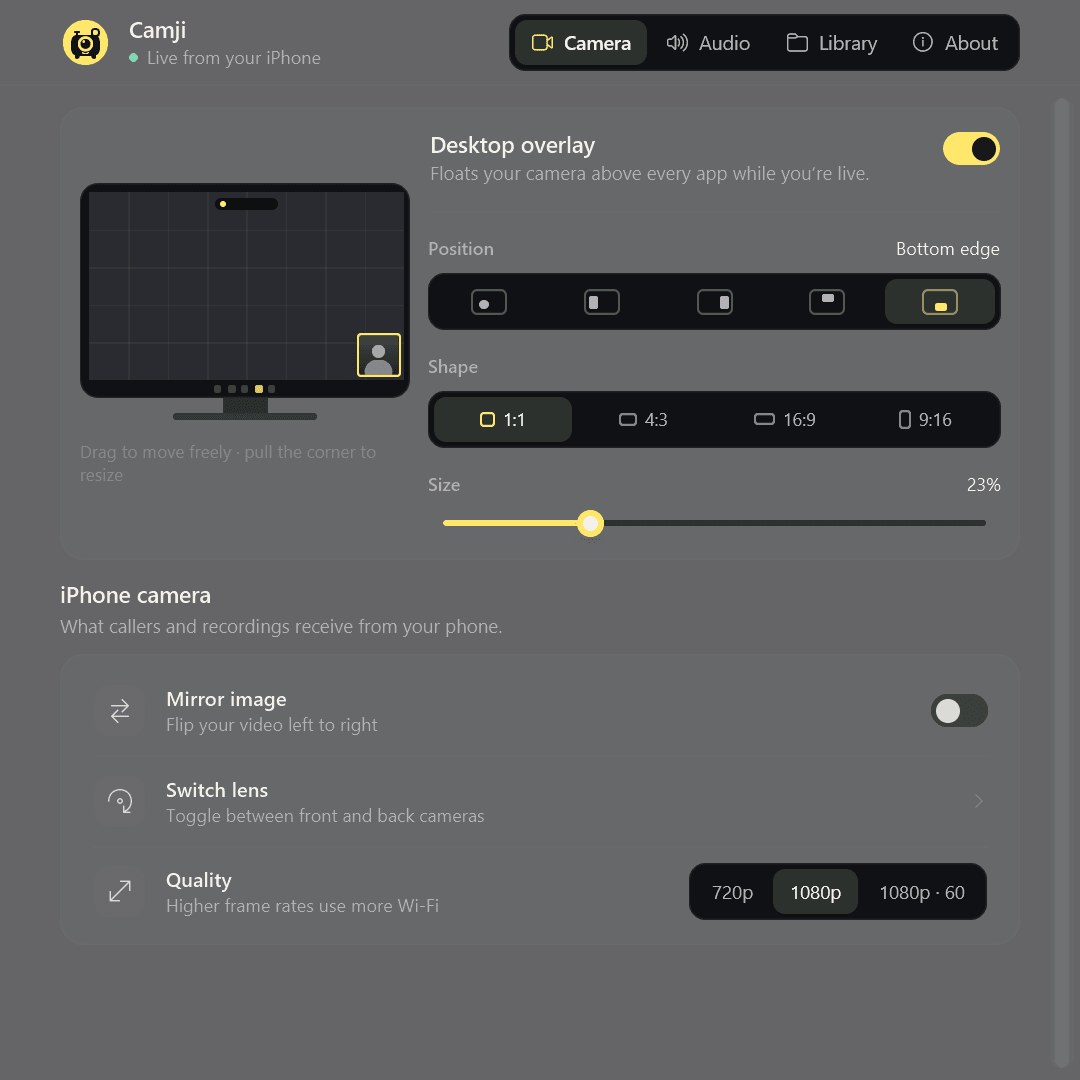
- mirror, flip, zoom
- Mirror the picture and switch between the front and rear lenses from your PC. Pinch on the phone to zoom in.
- 720p, 1080p, or 1080p at 60
- Pick what your Wi-Fi can carry. When the network gets crowded, the phone lowers its bitrate on its own.
- photos and recordings
- Save a PNG still, or record an MP4 straight from the phone's stream with no second encode. Add your PC's microphone, its system sound, or both.
- pause without leaving
- Pause from the pill or the system tray. Callers get a pause card, not a frozen frame of your face.
- it reconnects by itself
- A phone you've paired once connects again on its own. Open the app and you're back on camera.
who it's for
Use your phone’s camera for work calls.
Point your phone at a notebook to show students what you’re writing.
Use Camji as an OBS camera source or add your camera to a screen recording.
Use your phone’s camera for video interviews.
Add a webcam to your desktop PC using your phone.





Buy it once. Lifetime.
Windows app only, or Windows app with a phone mount.
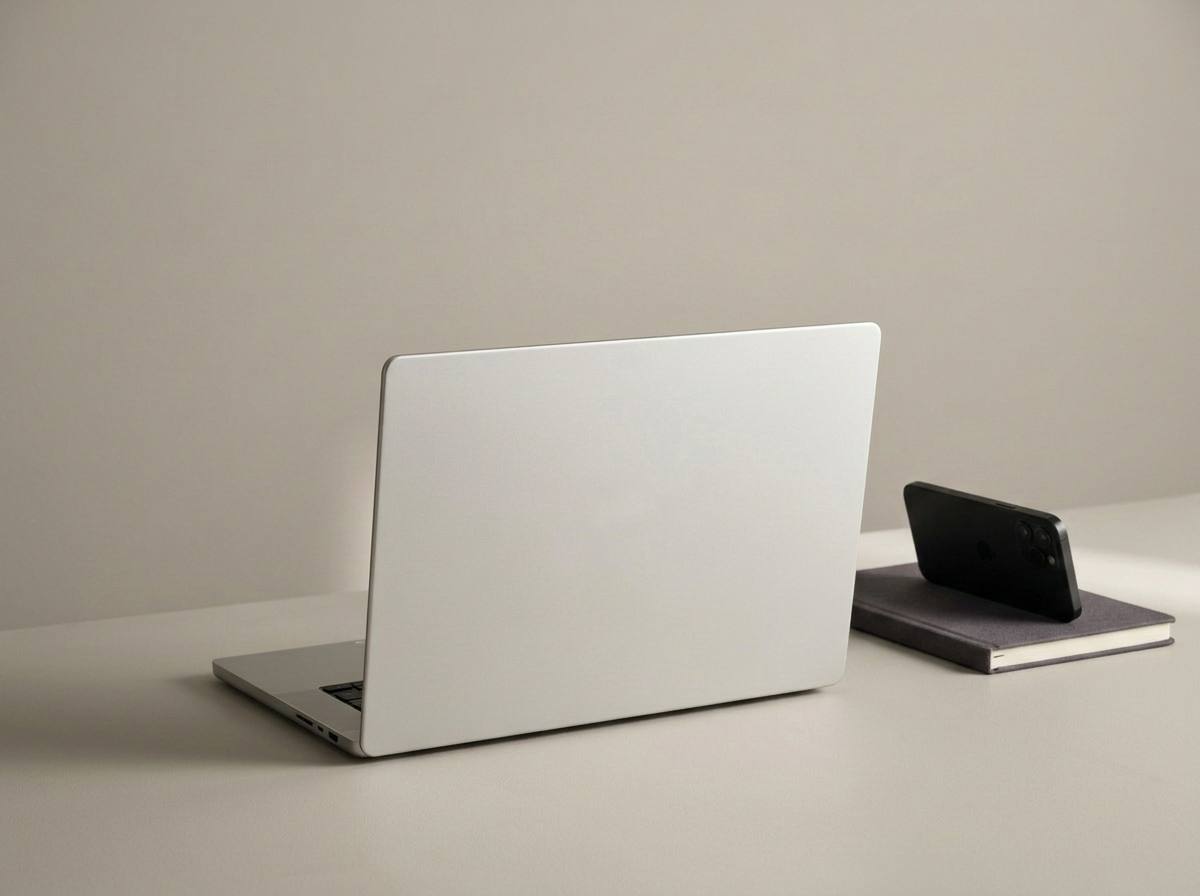
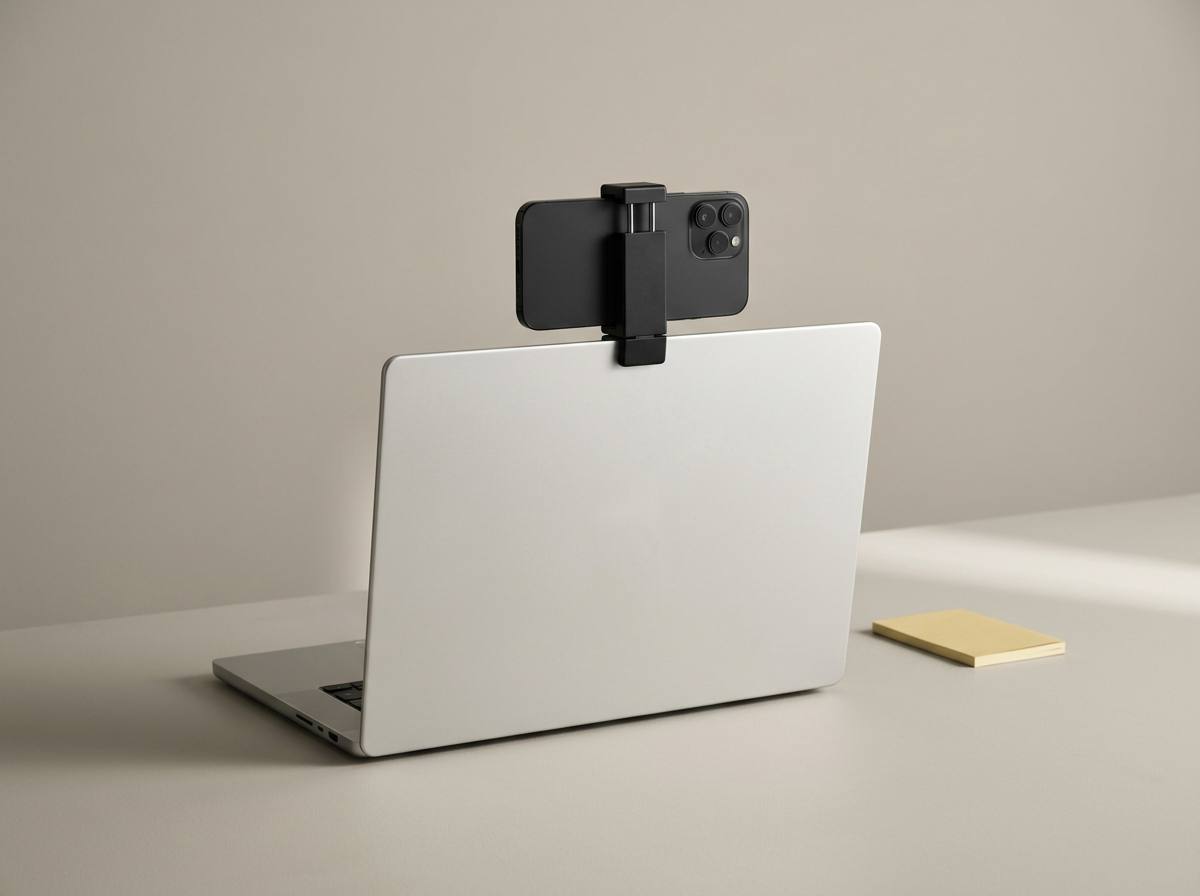
Bundle, $50. Lifetime Windows license with phone mount and shipping.
Both include a lifetime Windows license. No subscription.
Add the phone mount for $25. We ship it to you.
- Lifetime Camji license for Windows
- 1080p at 60 fps, overlay, photos & recordings
- Works with the iPhone & Android apps
- Aluminum monitor mount with phone holder
- Shipped to your door
Questions
How do I use my iPhone as a webcam on Windows?
Install Camji on both devices and scan the QR code on your PC. Select Camji in your call app’s camera menu. Requires iOS 17 or later.
Can I use an Android phone as a webcam?
Yes. The Android app pairs with the same QR code and sends the same picture. It needs Android 10 or later.
Do I need a cable?
No. Camji works over Wi-Fi with your phone and PC on the same network, and there is no USB mode. A 5 GHz network gives the steadiest picture.
Will the video lag behind my voice?
Delay depends on your Wi-Fi. Camji drops late frames and adjusts quality when the network is busy. Use 5 GHz Wi-Fi for a steadier connection.
Does it use my phone's microphone too?
No. Camji sends video only. Your call keeps using the microphone or headset you already chose in Zoom, Meet or Teams.
Is my video sent to a server?
No. Video travels from your phone straight to your PC over your local network. The connection is set up with TLS 1.3 and every frame is encrypted with ChaCha20-Poly1305. Camji has no cloud relay, no analytics SDK and no ad SDK.
Does it work on a Mac?
Camji runs on Windows PCs. A Mac version is not available.
Where should the phone go?
Anywhere steady at eye level: a tripod, a stand, or the monitor mount that comes with the bundle. For long calls, keep the phone plugged in.
Is $25 really a one-time payment?
Yes. You pay once and the license doesn't expire. The $50 bundle is the same license plus a monitor mount shipped to you.
what camji leaves out
- sign-up
Scan a QR code to pair. No account needed.
- subscription
$25, once. The license doesn't expire and nothing renews.
- cloud
Video stays on your local network with an encrypted connection.
- tracking
No analytics SDK and no ad SDK. Photos and recordings stay in your Pictures and Videos folders.
- cable
Connect over your Wi-Fi network.